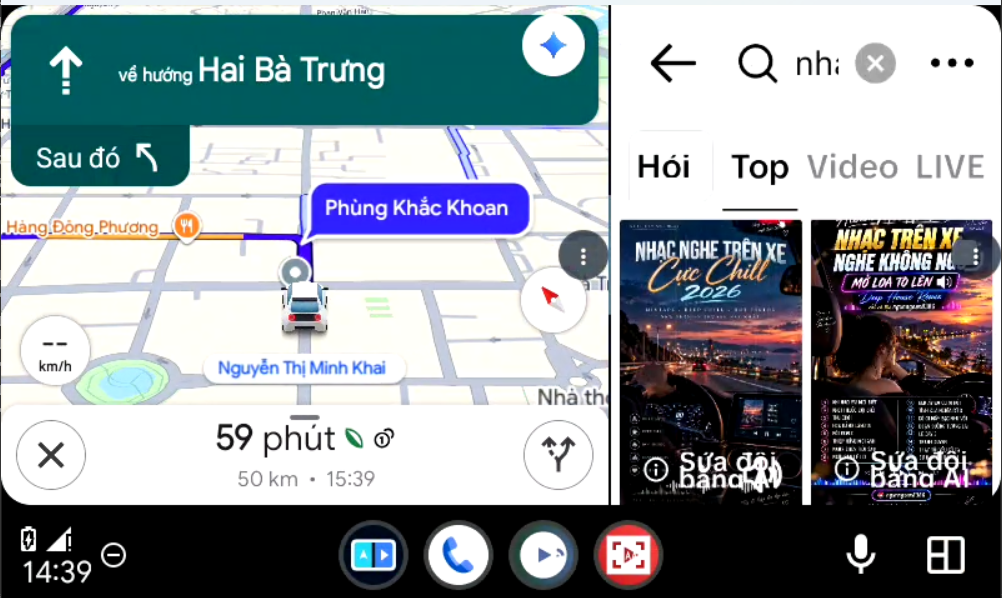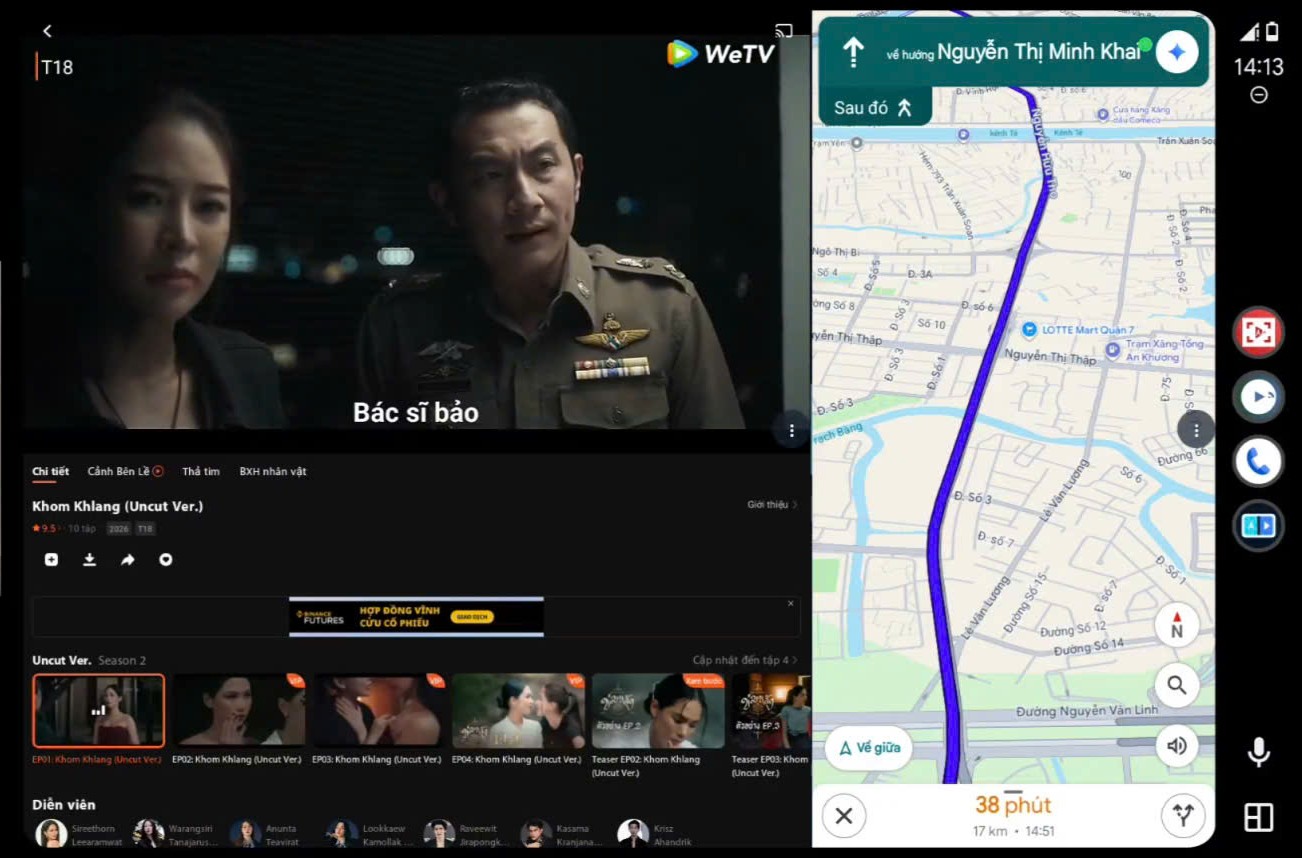
Meet the new CarView AA

A new experience.
Your car's original screen.

YouTube, a web browser, native TV and split-screen layouts with CarView AA, CVA Fullscreen and CVA DuoScreen. Use your Android phone without root.

  • No root required
  • CarView AA: Android 9+
  • DuoScreen: Android 11+
  • Install via Google Play
v4.8.8CarView 4.8.8 is officially availableA new app list, YouTube + QR, and split views inside the main CarView app.What’s new →
CARVIEW AA / ANDROID AUTOActual app footage
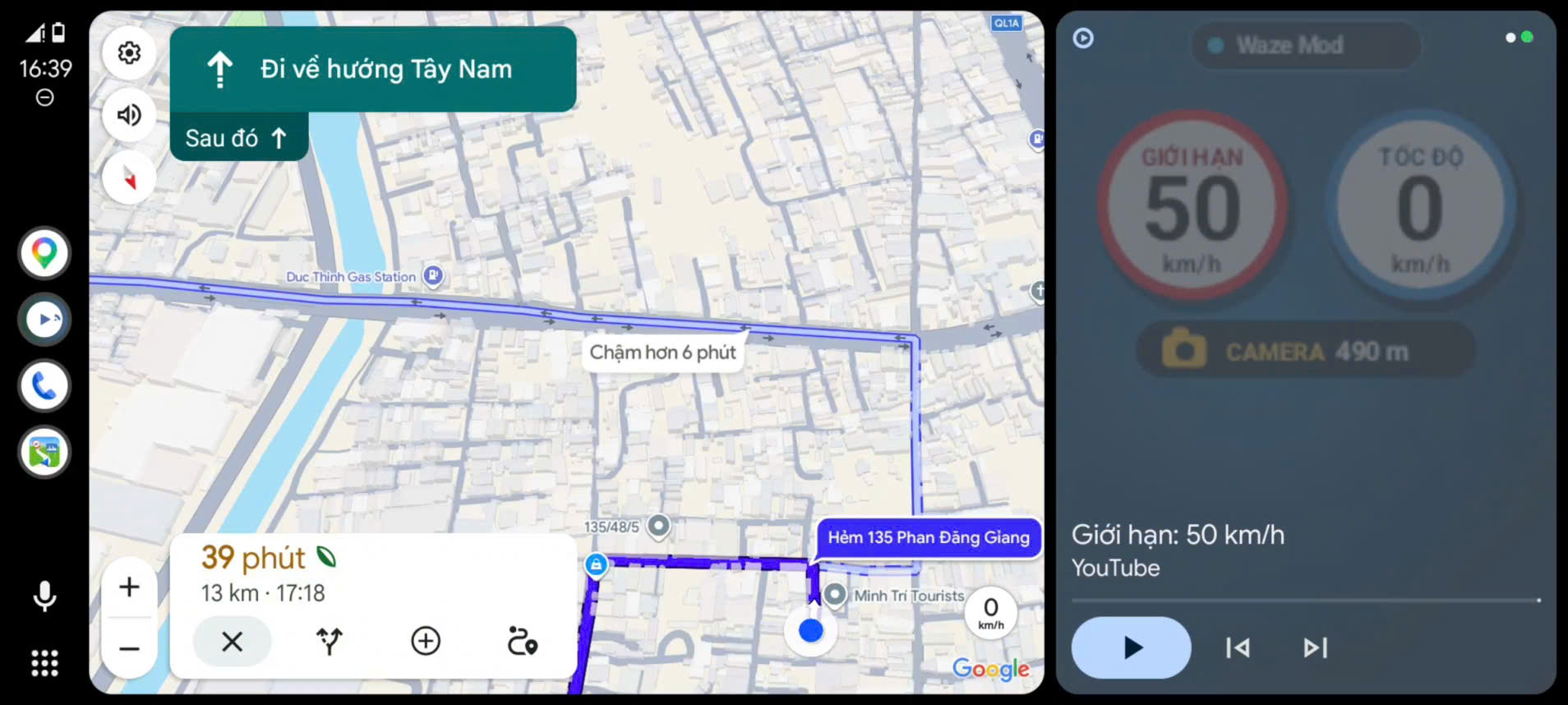
CarView AA showing YouTube, maps and speed information on a car display
YouTube · Maps · Floating speed displayThis layout is for vehicles that support mini map.

Get started with CarView AA

CarView AA
10 USD · All 3 apps

Enter your Google Play email → Pay 10 USD with Visa/Mastercard or PayPal → CarView and Google Play access are activated automatically.

Your car must support Android Auto.

CarView AA · VIP GOLD

International customers

$10 USD

All 3 apps included

CarView AA
YouTube, web browser and TV · Android 9+
CVA Fullscreen
Full-width video and reopen your last video
CVA DuoScreen
2–3 app panes with an adjustable layout · Android 11+
  • Up to 2 activations: two phones, or one phone plus one reinstall after replacing or resetting your phone.
  • Install via Google Play once access is granted.
  • Keep using your installed version after the update period ends.
Pay 10 USD →

Already have access, or want to check compatibility before paying? Contact CarViewApp ↗

One suite, three apps

Android Box-like features
on your original car screen

Use your Android phone without root. Support CarView and get three apps for entertainment and multiple-app layouts on an Android Auto-compatible car display.

The main app

CarView AA

Android 9 or later. YouTube, a web browser and native TV in a simple, easy-to-use interface.

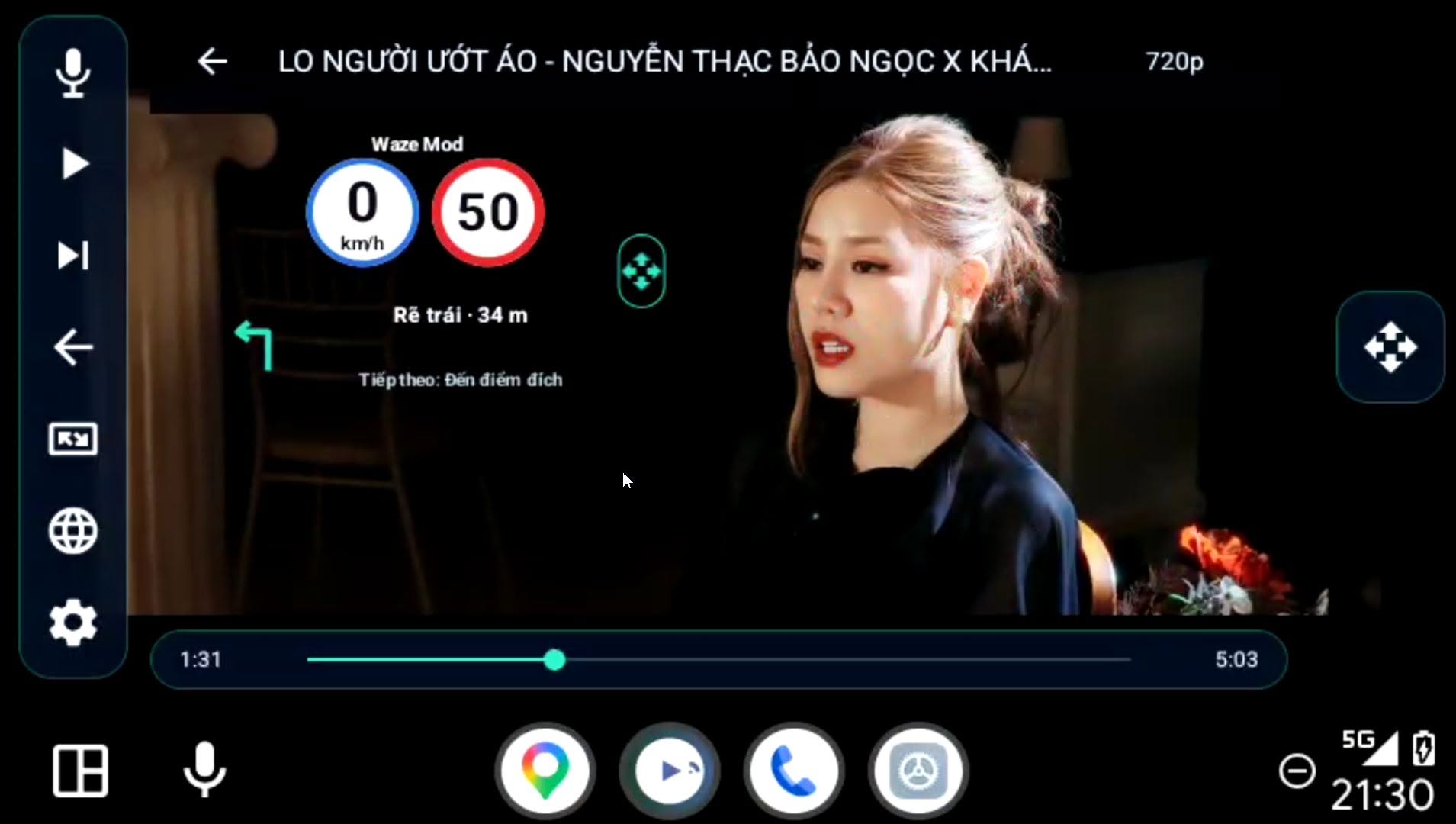
  • Free floating speed information with Waze Mod; also supports overlays from Vietmap Live and Wyn.
  • Control playback, skip tracks and use voice search with your steering wheel controls.

For wide displays

CVA Fullscreen

Use the full width of your display and automatically reopen your most recent video.

Multiple apps together

CVA DuoScreen

Android 11 or later. Split the display into 2–3 apps and drag to adjust the layout. Advanced mode supports turning off the phone screen.

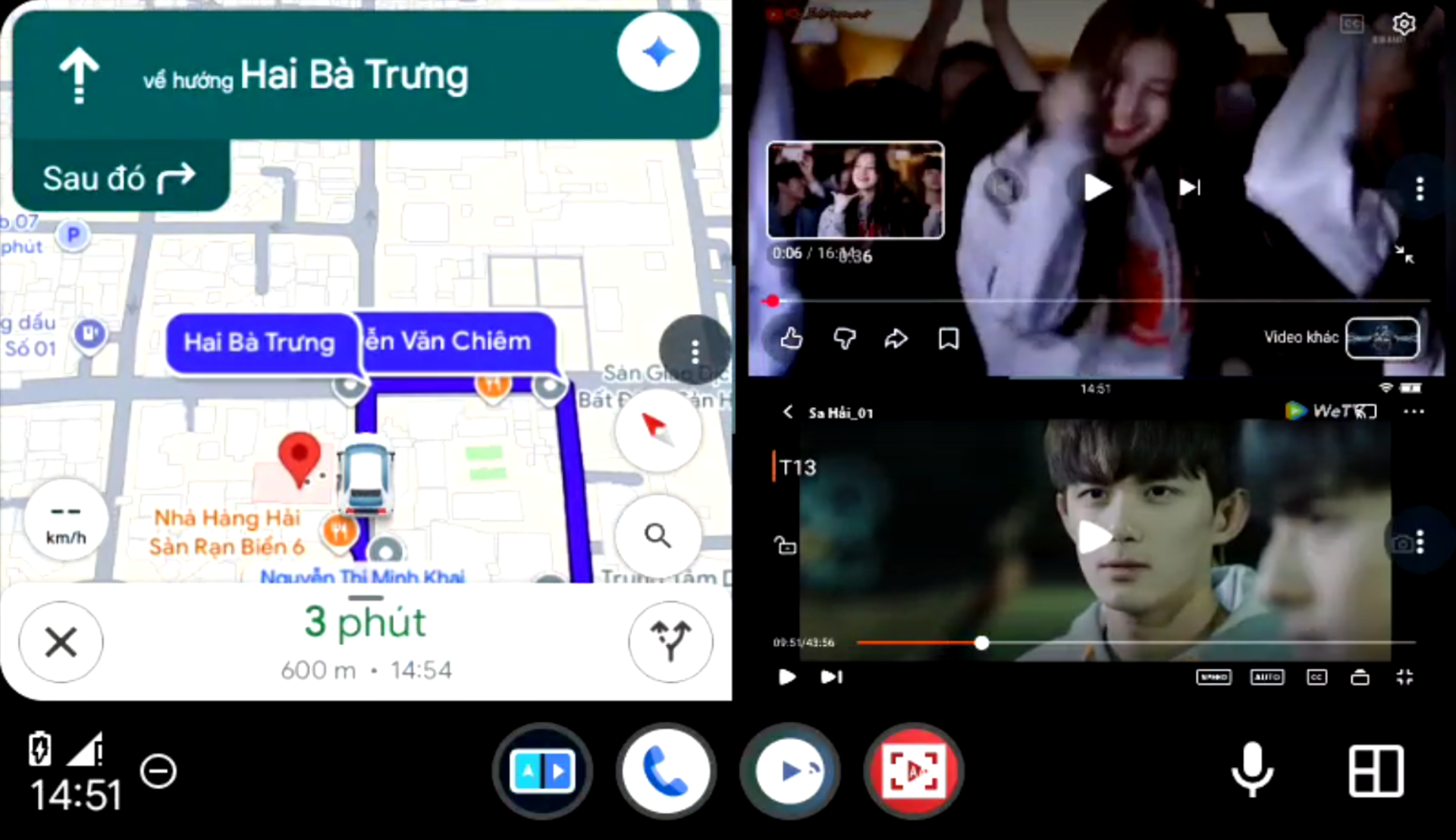
Easily bring phone apps such as Lily and Waze Mod onto your car screen, alongside maps or CarView.

CVA DuoScreen

Your apps, together in 2 or 3 panes

Choose a two-app layout or split the screen into three independent panes. Drag the dividers to give each app the space you want.

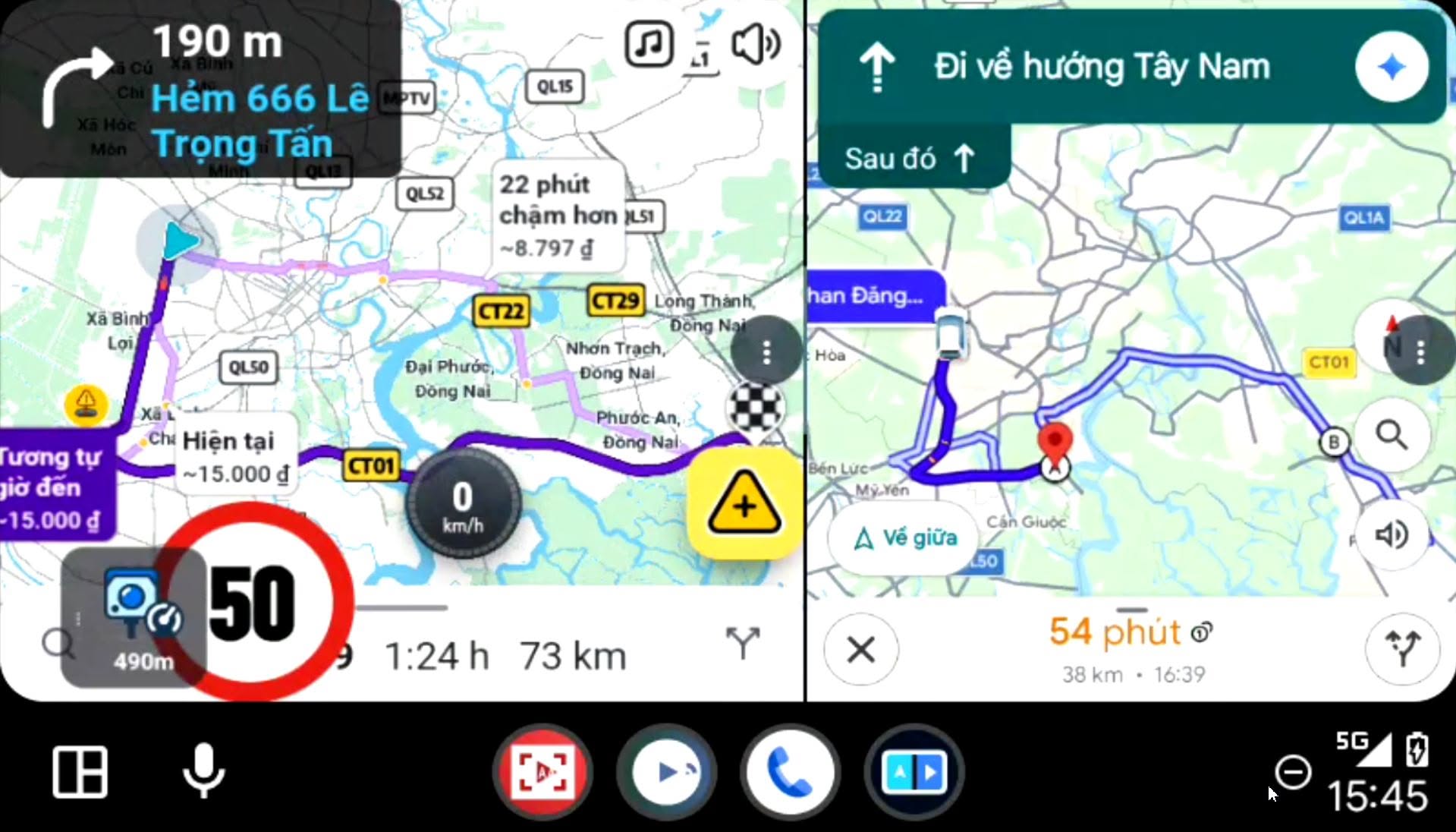
More layouts: Google Maps + Vietmap
CVA DuoScreen divides an Android Auto display into Vietmap on the left and Google Maps on the right
Actual screen: Google Maps and Vietmap in separate CVA DuoScreen panes.
  • Use 2 or 3 independent app panes in Advanced mode.
  • Drag the divider to resize, rearrange panes and remember your layout.
  • Find apps by name and icon, and reload individual panes when needed.

Simple

Share your phone screen. Keep the phone awake and unlocked, and confirm screen sharing. Enable Accessibility to control it from the car screen.

Advanced

Use 2–3 independent panes and turn off the phone screen after setting up the connection. Requires Developer options and ADB/Shizuku setup.

Install the apps you want to use on your phone and grant the permissions they need. Enable CVA DuoScreen in CarView settings when you want to use it.

CarView AA features

Everything you need.
Easy to use.

From YouTube and voice search to fullscreen mode and floating speed information.

01

YouTube and playlists

  • Open your last video on startup.
  • Continue playlists automatically.
  • Remember your selected video quality.
  • Resume playback after interruptions.
02

Voice search

  • Start a search in several ways.
  • Press Back twice for a quick search.
  • Play the first result automatically.
  • Search while your map is open.
03

Control and resume in your car

  • Use steering wheel controls.
  • Change tracks even when the app is not on screen.
  • Start a video on your phone and continue in your car.
  • Video sync, not screen mirroring.
04

Fullscreen and browser

  • Fullscreen mode for wide displays.
  • Use the full screen without a mini map taking up space.
  • Watch movies and web TV in the main app.
  • Browse websites in the Fullscreen app too.
05

Floating speed display

  • Works with VIETMAP LIVE, Waze and Wyn.
  • Show speed, speed limits and cameras.
  • Resize the floating display.
  • Install the relevant apps and grant their required permissions.
06

Lightweight and easy to use

  • Optimized for responsive operation.
  • Simple interface with large buttons.
  • Supports use alongside Grab Driver.
  • Install via Google Play.

CarView AA: Android 9+ · CVA DuoScreen: Android 11+ · Your car must support Android Auto.

Native TV and web TV are available in the main app. Phone sharing and app panes are available through CVA DuoScreen. Playback of local media files is not yet supported.

Actual app footage

See it before installing.

Watch the full video ↗
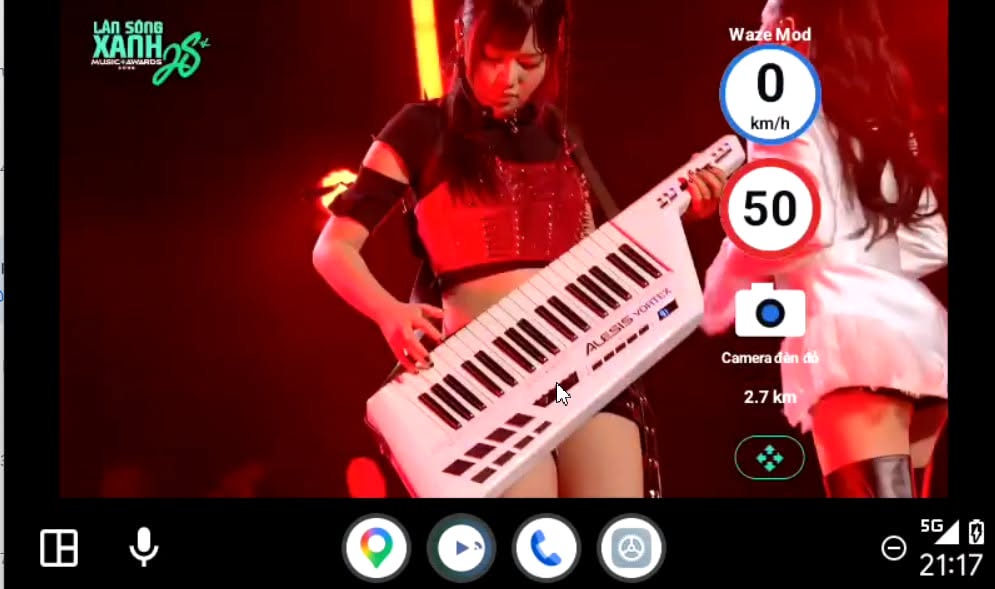
YouTube with floating speed and navigation information from Waze Mod
YouTube + Waze ModSpeed, speed limits and directions on the same screen.
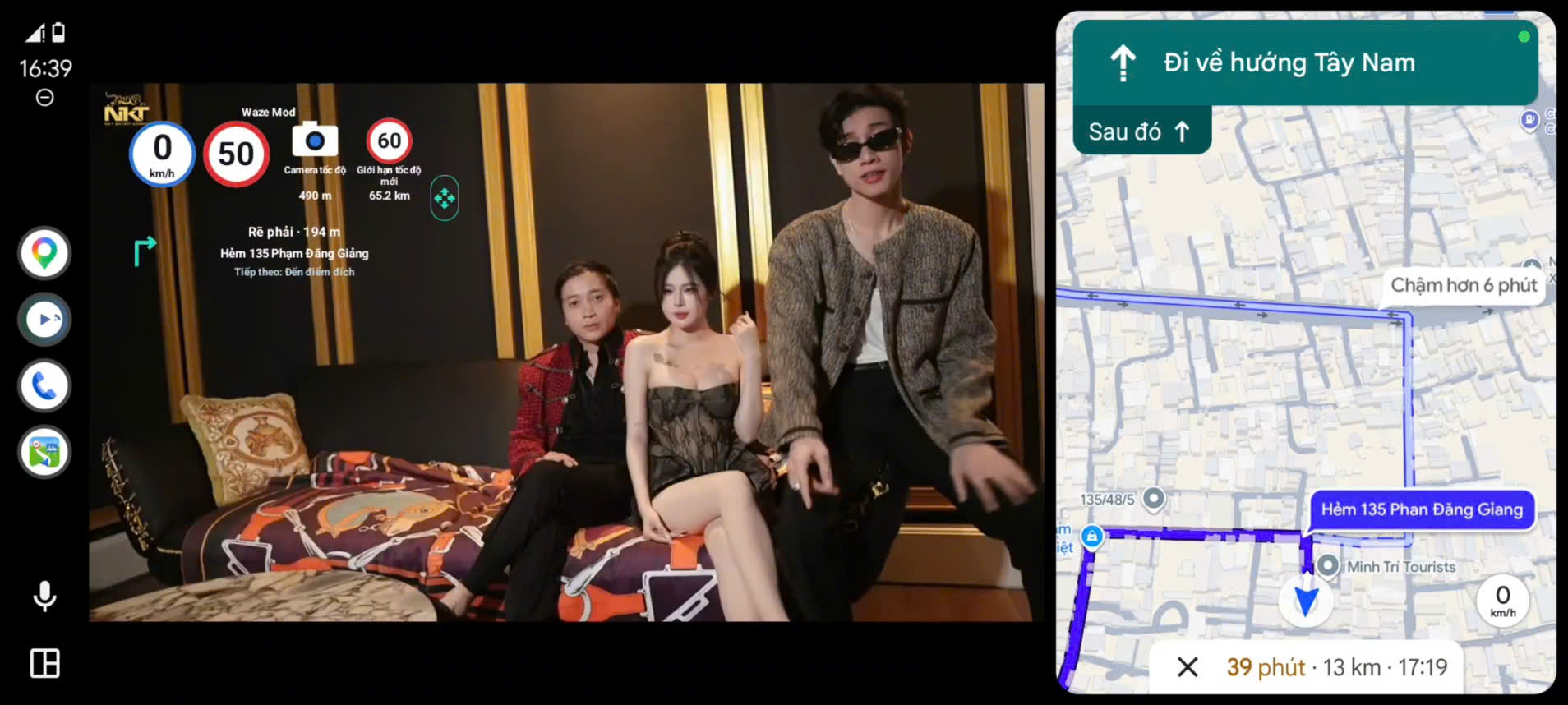
Maps and speed information on the CarView AA display
Maps and speed informationYour map and the information you need, together on one screen.

Set up the relevant map and alert apps as shown in the guide. Example images may show Vietnamese menus.

Video guides

Watch it in action.
Follow each step.

See how CarView AA works and how to set up the app and steering wheel voice controls. The original videos are in Vietnamese.

From payment to playback

Get started in 4 steps.

01

Enter your Google Play email

You need a car with Android Auto. CarView AA requires Android 9 or later; DuoScreen requires Android 11 or later. Enter the email you will use to install CarView, then create your order.

02

Pay with Visa/Mastercard or PayPal

Check the 10 USD amount on PayPal and keep your payment receipt.

03

Receive access automatically

Once PayPal confirms payment, the system grants access. Your order page will show the installation link. Open it in Chrome using your registered Google account.

04

Set up and get started

Open Android Auto, select CarView and follow the user guide for setup, permissions and getting started. Keep your installation link for future updates.

▶ A–Z user guide · Watch each step ↗

Frequently asked questions

Before you start.

Need more information?
Contact CarViewApp ↗

Which vehicles and phones are supported?

Your car must support Android Auto. The main CarView AA app requires Android 9 or later; CVA DuoScreen requires Android 11 or later. No root is needed. Wired and wireless connections work where supported by your car.

How much does it cost for international customers?

There is one international price: 10 USD for VIP GOLD, with up to 2 activations — two phones, or one phone plus one reinstall. Pay using the PayPal checkout on this page. Includes a 6-month update commitment and access to the support group.

Can I keep using the app after six months?

Yes. You can keep using your installed version with no time limit. Six months is our update commitment period.

Where does the speed information come from?

CarView works with Waze Mod, VIETMAP LIVE or Wyn. Install and authorize the relevant app as shown in the guide. Available information depends on the app and its service area.

Will I get access immediately after paying with PayPal?

The system verifies payment with PayPal, then activates CarView and Google Play access automatically. After paying, return to this page and allow about 5 minutes for confirmation and the download link. Processing may take longer. If you close the page, return and look up your order code. If it is still processing, contact our page with the code. Do not pay again.

I already have CarView access. Should I pay again?

For your download link, use Get your installation link. Need more activations after replacing or resetting your phone? Reinstall support: $10 for 2 additional activations using your registered email. For a plan change, contact our page.

Get help from the CarView community

Join our Facebook or Telegram group to ask questions, share screenshots or videos of issues, and exchange tips. The CarView team and community can help you troubleshoot.

Need help with a payment or your registered email? Message CarViewApp privately ↗

CarView AA on your car's screen

Ready to get started?

Check the details and pay with PayPal.

View payment options

Get help with CarView

Have a question or an issue with CarView? Message our Page directly, or ask the support community.

Chat with CarView on Messenger ↗

Opens Messenger to message CarViewApp.